Which model made this take—and how?
Follow the restored workflow from its inputs to the take. Inspect the prompts, settings, and recorded engine/model details behind that version.
Model-agnostic production · Private beta
Create images, video, and audio with your choice of supported AI models. Switch engines within reusable canvas workflows, then carry the work through versioned takes, team review, and editing.
01 / Your models. Your workflow.
A great generation is only the beginning of a production.
Teams still need to compare versions, trace how a shot was made, share feedback, and bring it into the cut. And Action! connects those steps around the work, whatever supported engine you choose.
Choose the model that fits the shot
Select a different supported engine on your generation node without rebuilding the surrounding graph. Adjust the model's settings, generate another take, and compare the results.
Explore model choiceSupported video models include Seedance 2.5 and MiniMax H3, among others.
Connect your own provider API keys. Available models, inputs, and controls depend on the connected provider.
Build generation into a reusable workflow with references and finishing steps.
Compare saved takes as you explore different models and creative choices.
Reconstruct the exact saved canvas behind a take version and build on it.
02 / The connected workflow
The canvas is your home base. Your shots, versions, feedback, and edit stay part of the same production.
Canvas
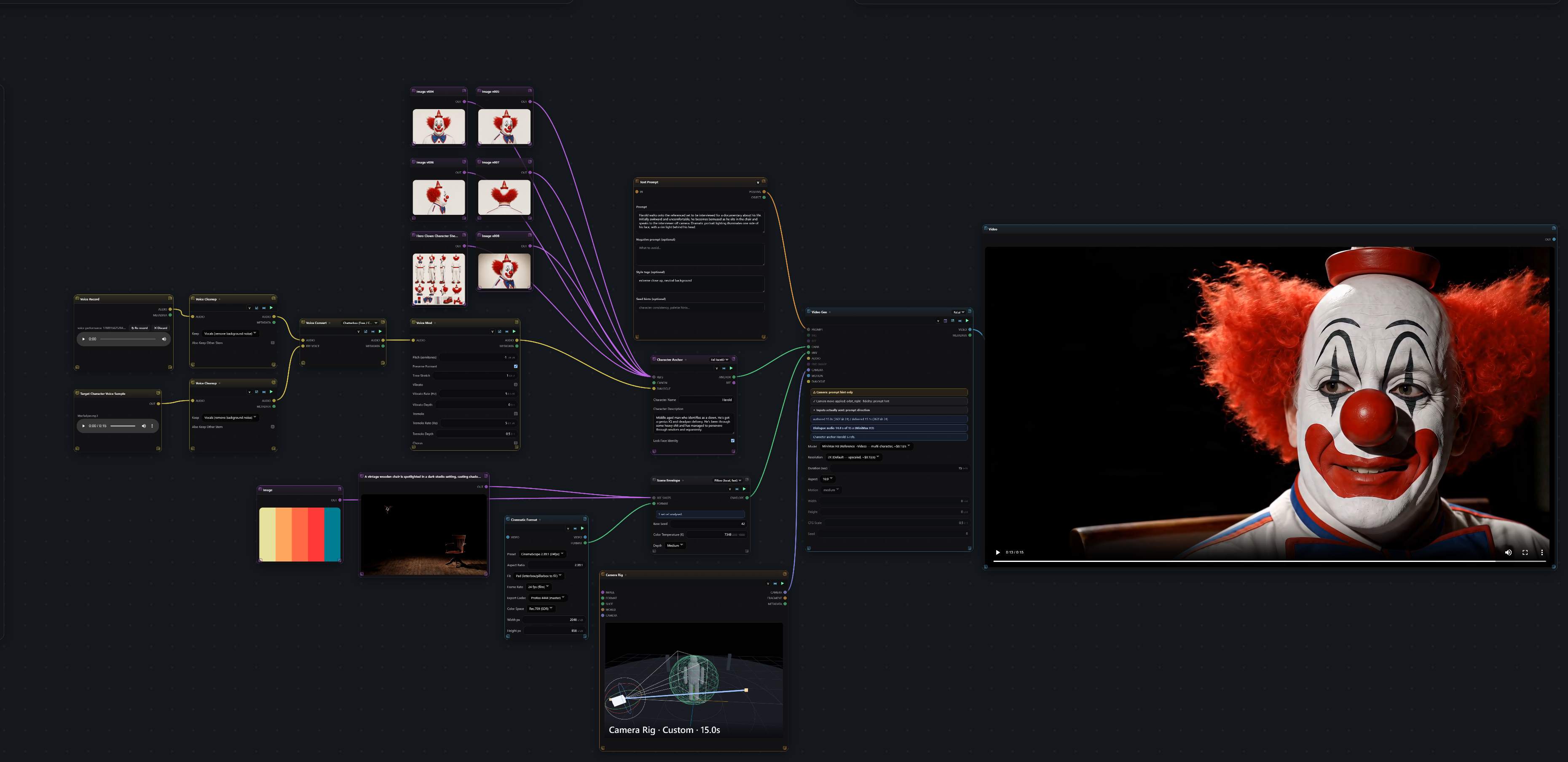
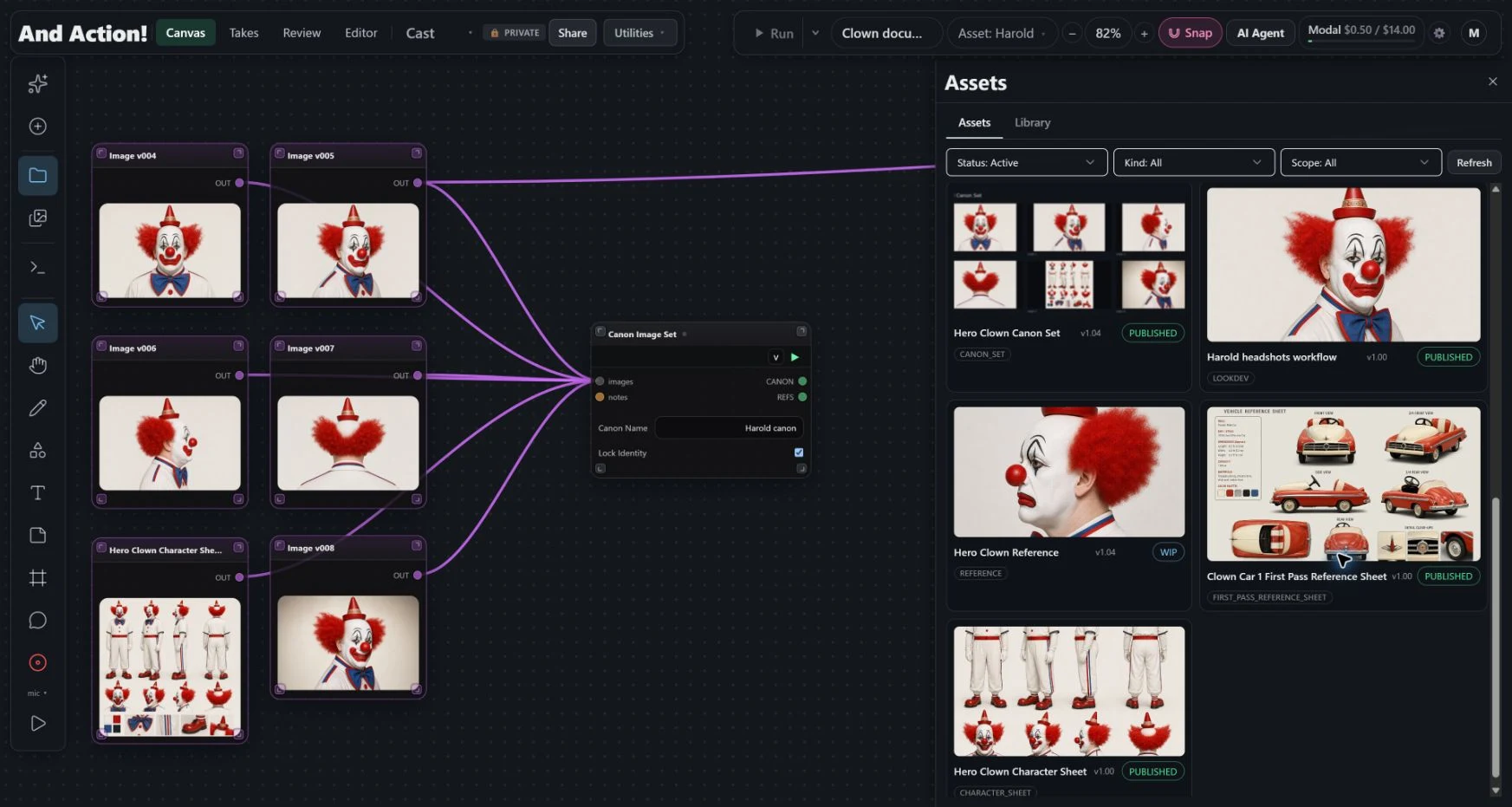
Bring references, storyboards, and shot workflows together on an open canvas. Choose AI engines per generation node, connect the steps, and follow the work as it runs.
Takes & provenance
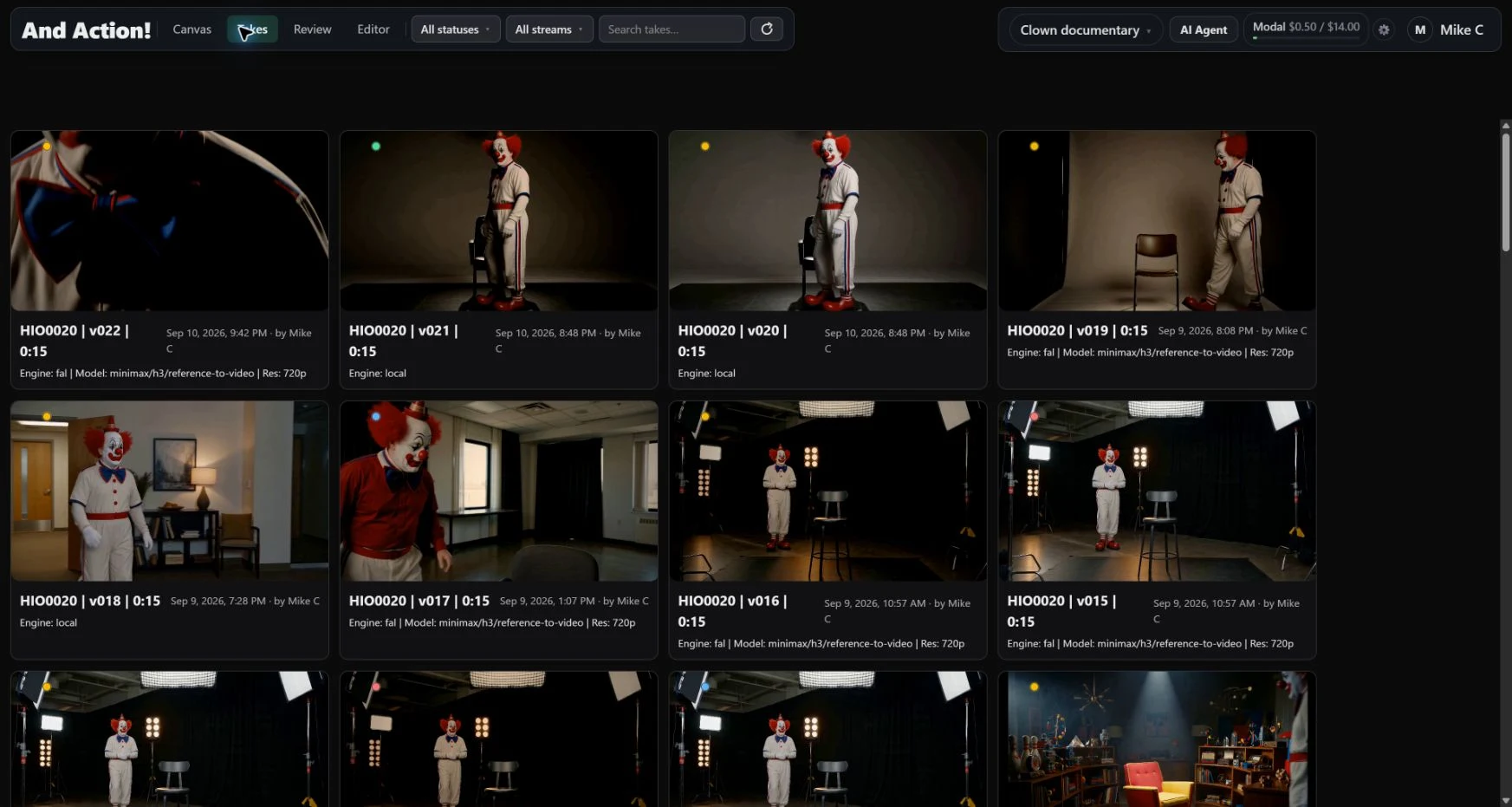
Choose a specific take version and reconstruct the exact saved canvas workflow that created it. See how that result was made, then use the workflow as the starting point for your next iteration.
Review
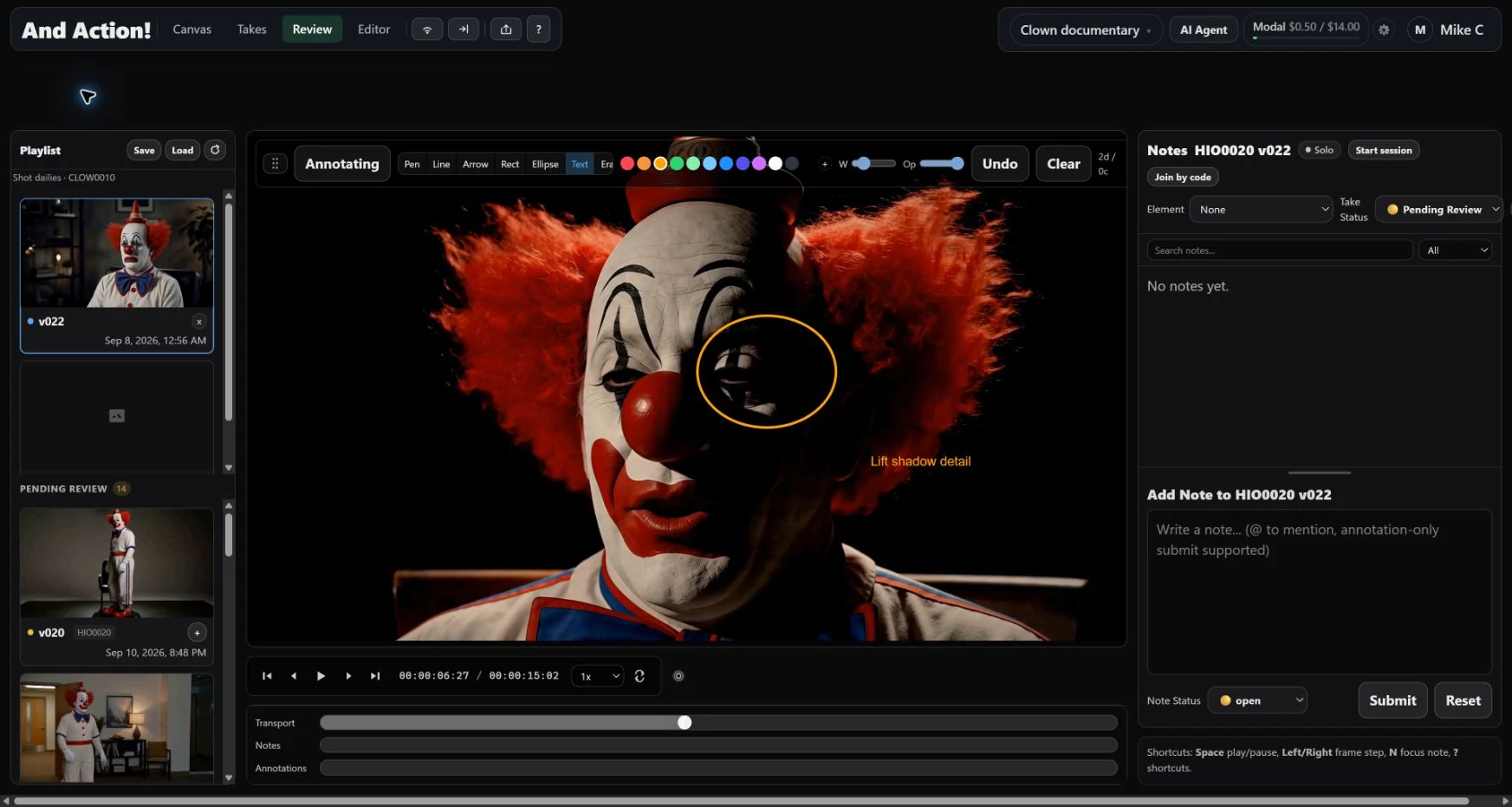
Look at the work together, or leave feedback for the next time zone. Keep the conversation attached to the shot and the frame.
Editor
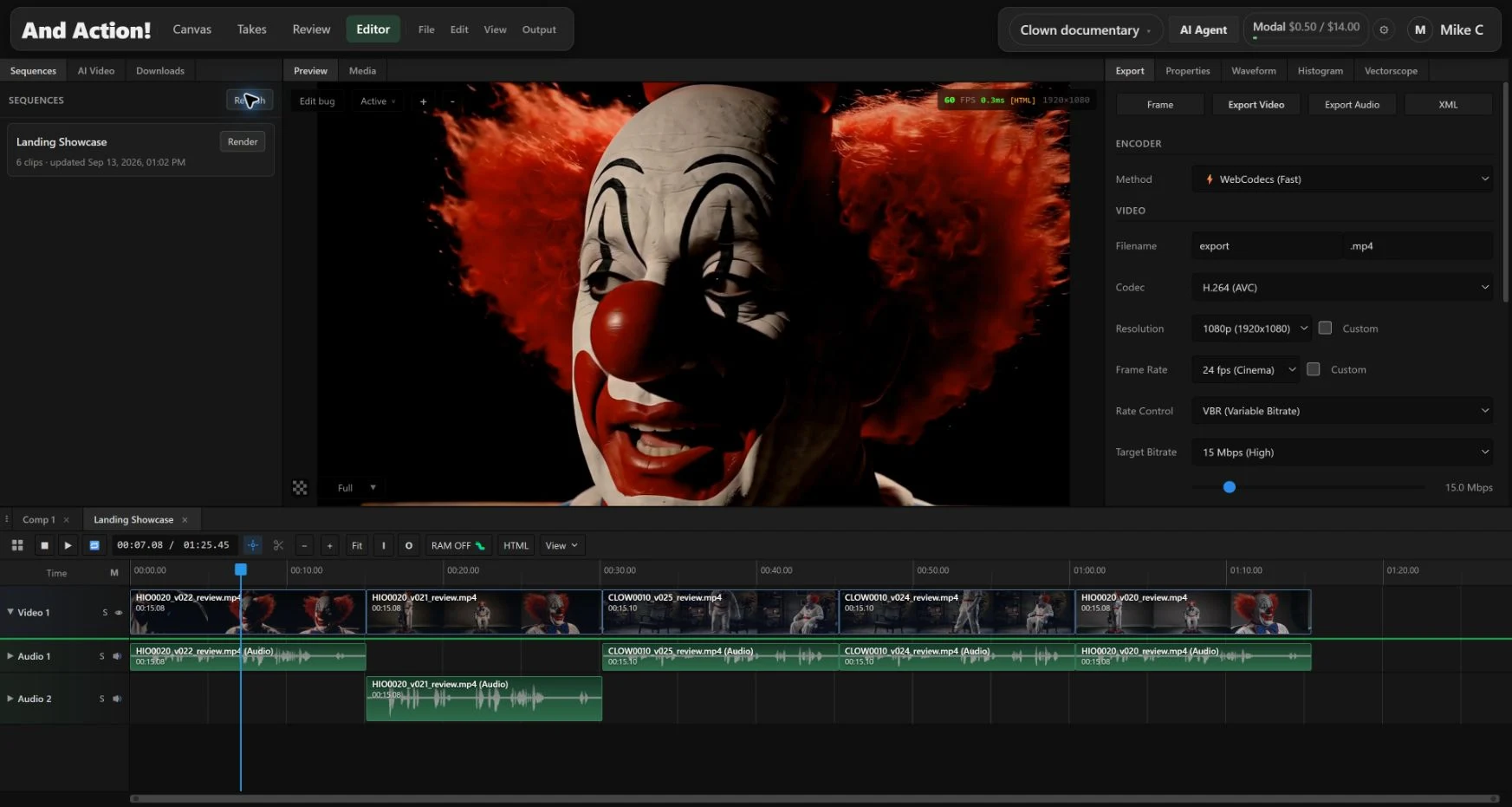
Take the work into a built-in timeline editor. Shape the sequence with video, audio, effects, and grading, then export the result.
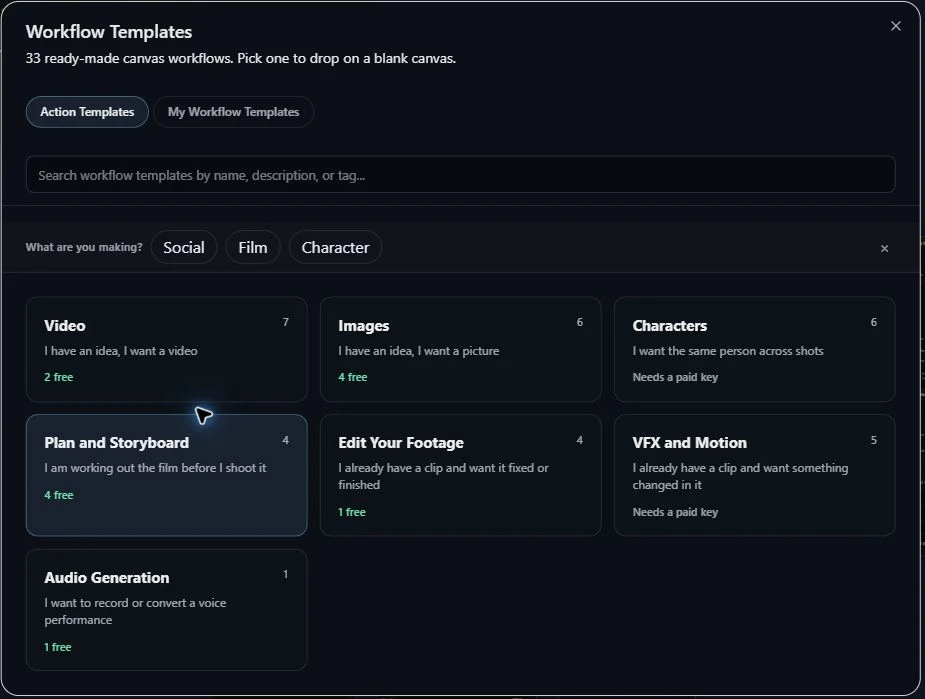
Workflow templates
Start with a ready-made workflow for a film, character, storyboard, or finishing task. Open it on your canvas and make it your own.
03 / Production provenance
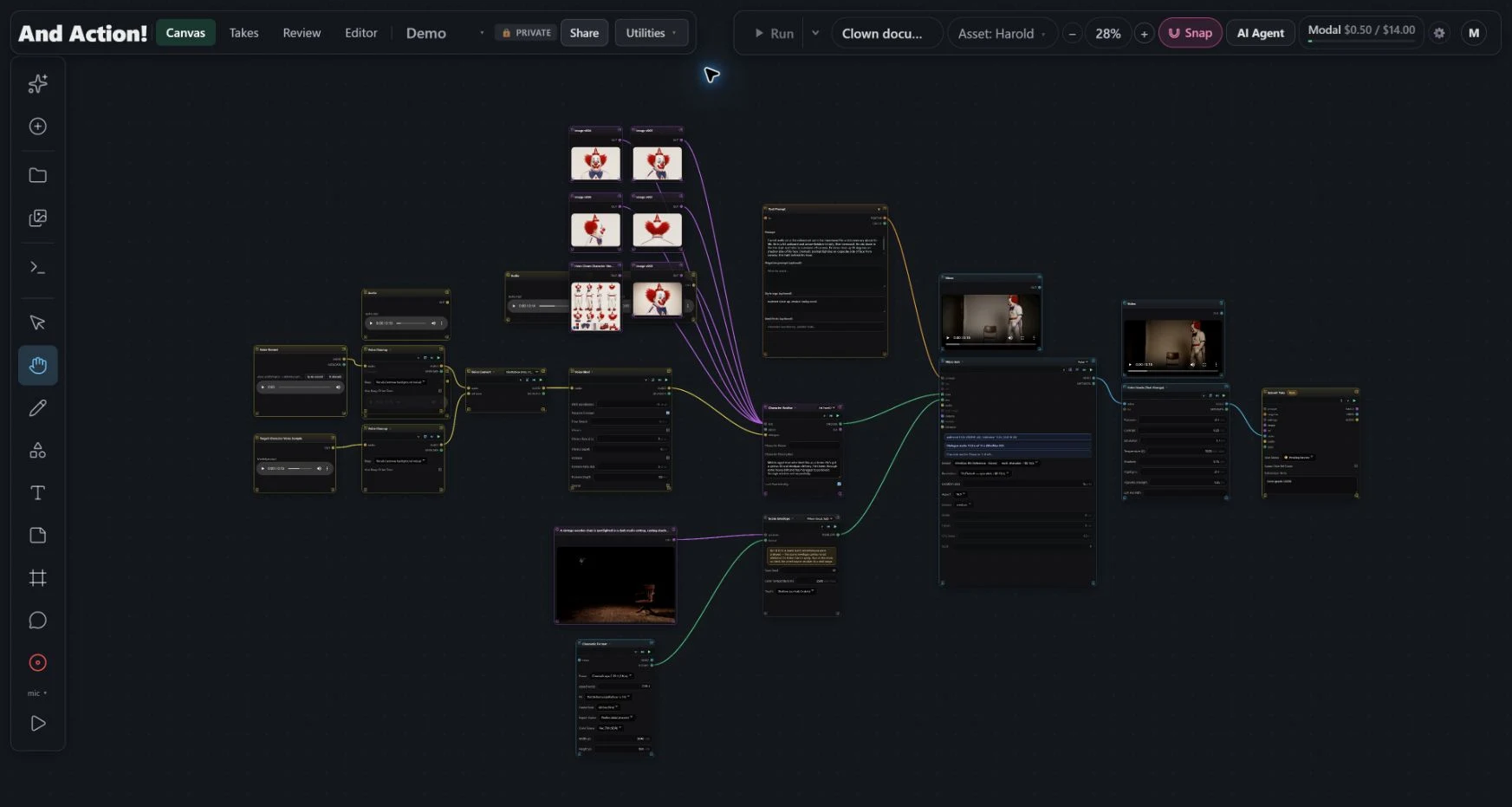
Choose a specific take version and reconstruct the exact saved canvas workflow that created it. The nodes, connections, inputs, and settings come back together, ready to inspect and use.
Follow the restored workflow from its inputs to the take. Inspect the prompts, settings, and recorded engine/model details behind that version.
Work directly with the reconstructed canvas. Adjust a prompt, swap an input, or extend the workflow to explore the next iteration.
Export a lineage bundle with the graph, recorded execution details, parameters, output references, and job records for inspection and handoff.
Project teams & access
Every project has its own team and gated access. Set who can participate with admin, editor, and viewer roles, and scope access to specific sequences, shots, or assets.
04 / A creative partner
Describe the outcome. Build it together.
Ask for help, plan a workflow, or have the agent build and connect nodes on your canvas. The work stays visible and editable, so you can step in and direct the details.
It asks for approval before paid operations. You stay in control of the creative decisions and the spend.
From a connected idea to a working result
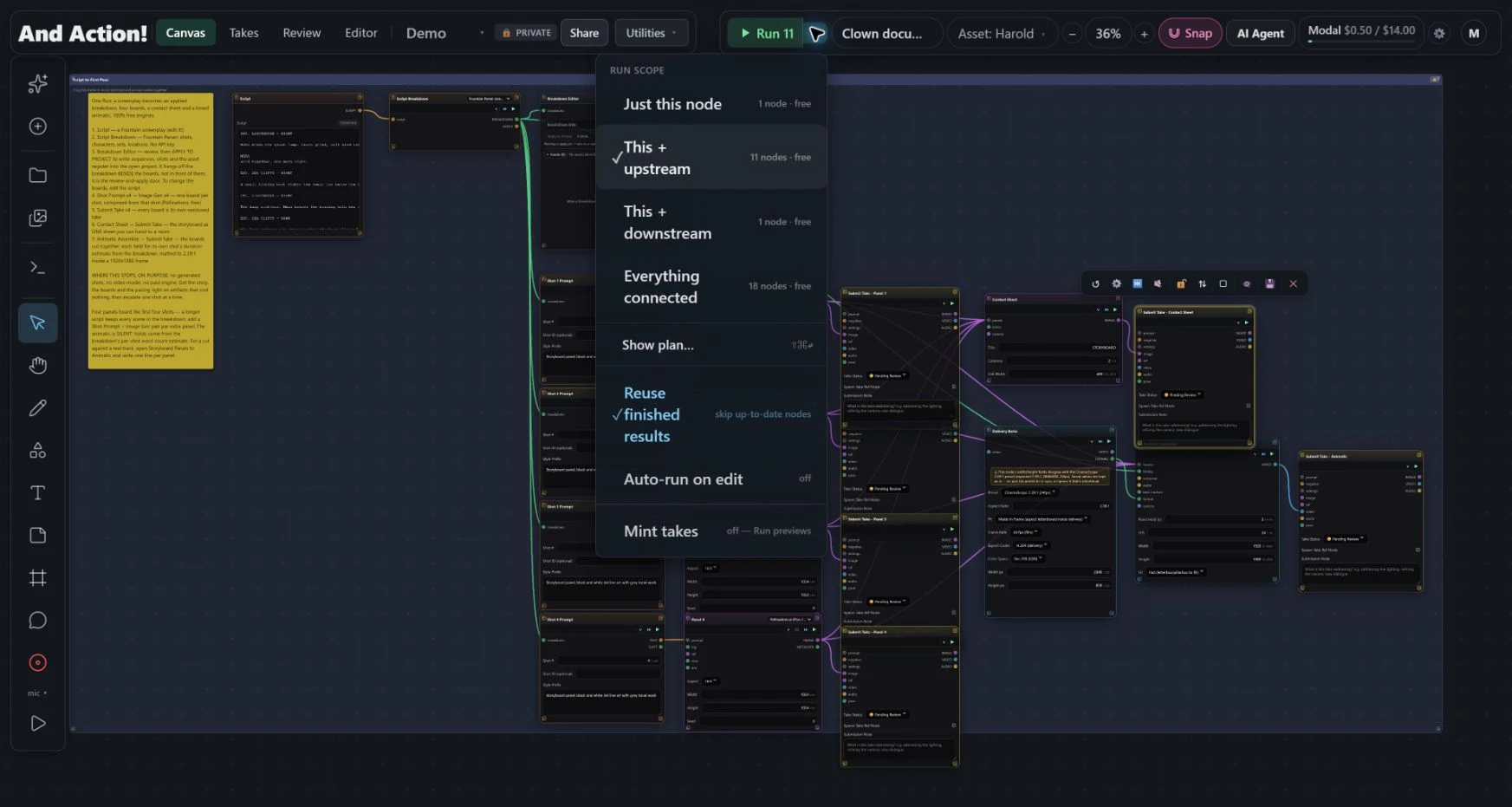
Run one node, everything it depends on, or the whole connected workflow. Reuse finished results as you iterate, then turn the work you want to keep into versioned takes.
05 / More ways to make
Mix media and generation engines in the same workflow, with creative controls beyond the prompt.
Generate, extend, modify, reframe, and refine shots with the engine that fits the job.
Bring voice, music, and captions into the production alongside your pictures.
Explore assets and camera tools. Shape framing, movement, and visual intent.
Work with masks, object removal, upscaling, and grading as connected steps.
Built from production experience
Built on 30 years of feature-film visual effects experience, including work at ILM, Weta Digital, DreamWorks, and DNEG. And Action! brings the exploration of generative tools into a connected production workflow.
Studio conversations
Interested in the product or the thinking behind it? Get in touch about creative technology roles, studio partnerships, or strategic opportunities.
Currently in private beta. Access is limited while the studio is in active development.